Free, with no adverts. Android 10 or later.How to install
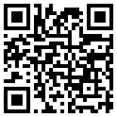
Scan with your phone's camera to open this page there.
About SpyFind
Find what's watching you.
SpyFind checks a room for hidden cameras, tells you which Bluetooth trackers are near you and whether one is travelling with you, and looks for stalkerware on your phone.
Nine tools in one free app, with no adverts, and nothing it finds ever leaves your phone.
No advertsNone in the app and none on this site.
Nothing sent anywhereWhat it finds stays on your phone.
Everything freeNo subscription, nothing locked.
No accountNothing to sign up for.
A look inside
Real screens from SpyFind. Tap one to see it full size.
The opening: the lens draws itself in and the radar sweeps once.Home: one tap for a Full Sweep, Tracker Watch at a glance, and every tool below.A Bluetooth scan: an AirTag away from its owner and a camera, each with the reason it was flagged.Find it: a hot and cold dial, the distance, and Geiger clicks that speed up as you close in.Wi-Fi camera scan: every device on the network, cameras marked, and nearby camera set-up hotspots.Spyware app scan: every app checked against a list of known stalkerware and scored for risk.Room Sweep: a checklist for each room, with the right tool for each hiding place.Tracker Watch: how it decides a tracker is travelling with you, in plain words.Get help: free UK helplines, a tap away.The light look, for daylight.
X-ray
Read from the app file itself (v1.0.0, 4.4 MB) when it was published.
Privacy score
The score starts at 100. Points come off for advert kits (10 each), trackers (8 each), high-risk permissions (6 each), medium-risk permissions (3 each), parts of the app other apps can start (2 each, up to 10), and unencrypted traffic (5). A permission only works if you allow it, so a camera app loses points for the camera even though it needs it.
73/ 100
Good
2 high-risk permissions-12
5 medium-risk permissions-15
Advertising kits
0
Code from advertising companies that shows adverts and usually collects data to target them. Found by matching the app's code against the Exodus Privacy list of known kits.
No known advertising kits found.
Trackers
0
Analytics, crash-reporting, profiling and location libraries that can send information about you to another company. Matched against 432 known trackers.
No known trackers found.
Permissions
24
What the app is able to ask for. Permissions marked "Asks first" do nothing until you say yes on your phone, and you can take them back at any time in Settings. "Automatic" ones are granted when you install.
2 high risk5 medium risk12 low risk5 harmless
CameraAsks first
Can take pictures and record videos while the app is in use.
android.permission.CAMERA
Precise locationAsks first
Can see exactly where you are, to a few metres.
android.permission.ACCESS_FINE_LOCATION
Approximate locationAsks first
Can see roughly where you are (street or town).
android.permission.ACCESS_COARSE_LOCATION
Find nearby Bluetooth devicesAsks first
Can search for Bluetooth devices near you.
android.permission.BLUETOOTH_SCAN
Foreground service: locationAutomatic
Can keep using location with a notification.
android.permission.FOREGROUND_SERVICE_LOCATION
Internet accessAutomatic
Can send and receive data over the internet.
android.permission.INTERNET
See all installed appsAutomatic
Can list every app installed on the phone.
android.permission.QUERY_ALL_PACKAGES
BluetoothAutomatic
Can connect to paired Bluetooth devices.
android.permission.BLUETOOTH
Bluetooth settingsAutomatic
Can turn Bluetooth on and look for devices.
android.permission.BLUETOOTH_ADMIN
Change Wi-FiAutomatic
Can turn Wi-Fi on or off and join networks.
android.permission.CHANGE_WIFI_STATE
Connect to devicesAsks first
Can connect to paired Bluetooth devices.
android.permission.BLUETOOTH_CONNECT
Foreground service: devicesAutomatic
Can stay connected to a device with a notification.
Backup allowedThe app's data cannot be copied off with backup tools.
Modern Android targetBuilt for Android 15 (API 35) — gets current privacy protections.
Open background componentsNo background parts can be started by other apps.
Release signatureSigned with a release key.
Signature
Android only installs an update if it carries the same signature as the app already on your phone. These fingerprints let you check a file really came from here.
The building blocks inside the app. "Open" parts can be started by other apps on the phone without asking. Widgets, share targets and alarms need some open parts to work.
Screens1 open1
uk.jj.spyfind.MainActivity
Services4
uk.jj.spyfind.watch.TrackerWatchService
uk.jj.spyfind.watch.GuardService
uk.jj.spyfind.watch.WatchTile
androidx.camera.core.impl.MetadataHolderService
Receivers3
uk.jj.spyfind.watch.SpyFindWidget
uk.jj.spyfind.watch.BootReceiver
androidx.profileinstaller.ProfileInstallReceiver
Providers2
androidx.core.content.FileProvider
androidx.startup.InitializationProvider
Native libraries
3
Compiled code for each type of phone processor. Most phones today use arm64-v8a.
Three moments: when you arrive somewhere new, while you are out, and when you worry about your phone.
Sweep the room
Tap Full Sweep. SpyFind checks Bluetooth and the Wi-Fi together, then tells you what needs a look and why. Room Sweep walks you round the hiding places.
Let Tracker Watch listen
Switch it on and get on with your day. If the same tracker keeps turning up wherever you go, you get an alert with where it was seen.
Check your phone
Run the spyware app scan. Known stalkerware is named, other risky apps are explained, and help is a tap away if you find something.
Everything is in, and all of it is free
Nothing below is held back for a paid tier, because there is no paid tier. The tools that run in the background are off until you switch them on.
Hidden cameras
Wi-Fi camera scan
Finds every device on the Wi-Fi, asks each one what it is, and marks cameras: those that answer camera searches, stream live video or match known camera makers.
Camera set-up hotspots
Lists nearby Wi-Fi names that new cameras broadcast while they wait to be set up, with how close each one is.
Lens finder
Uses the torch and the camera to pick out the tiny glint of a lens, with a strobe and colour filters to tell a lens from a sequin.
Infrared finder and magnetic scanner
See the night-vision lights some cameras use, and find the magnets and coils inside chargers, clocks and smoke alarms.
Trackers
Know what is near you
AirTags and other Find My items, Samsung SmartTags, Tile, Chipolo and Google Find Hub tags are named, and SpyFind shows when one is away from its owner.
Tracker Watch
Off until you switch it on. Every five minutes it listens briefly and warns you if the same tracker has been with you at several different places.
Find it and make it ring
A hot and cold dial with Geiger clicks and vibration, and a button to make an AirTag or Find Hub tag play its sound.
Your phone
Spyware app scan
Checks every app against a published list of known stalkerware, by name and by signing certificate, then scores every other app for risky access.
Camera and mic alert
Off until you switch it on. Tells you the moment any app turns the camera or microphone on.
Safety first
Before anything is removed, SpyFind explains that removing spyware can alert the person who put it there, and points you to help.
Everyday
Room Sweep
Bedroom, bathroom, hotel room, rental, living room, changing room, office or car: a checklist of the places cameras are hidden and the tool to use for each.
Reports and history
Every scan and sweep is kept on the phone and can be shared as a PDF report.
Trusted devices
Mark your own earbuds, watch and router once, and they are never flagged again.
App lock, widget and tile
A PIN or fingerprint lock, a home screen widget and a Quick Settings tile for Tracker Watch.
What it finds stays with you
Kept on your phone
Scans, sweeps, alerts and reports stay in the app. There is no account and no SpyFind server.
No ads, no tracking
There is no advertising, analytics or tracking, in the app or on this site.
Location deleted after a day
Tracker Watch only notes where you were so it can spot a pattern, and deletes it after 24 hours.
Only the list is downloaded
The one thing SpyFind fetches from the internet is the updated stalkerware list, from this site. Nothing about your phone is sent.
If you find something
Keep yourself safe firstIf you are in danger, call 999. If you cannot speak, call 999 and press 55 when asked.
Think before removing spywareRemoving it can alert the person who installed it. The National Domestic Abuse Helpline, run by Refuge, on 0808 2000 247, free and open all day, every day, can help you plan.
StalkingThe National Stalking Helpline, run by the Suzy Lamplugh Trust, is on 0808 802 0300.
Save the evidencePhotograph what you find, where it was, and share the SpyFind report with the police on 101.
Keep yourself safe first
Think before removing spyware
Stalking
Save the evidence
Where SpyFind comes out ahead
SpyFind has no adverts, shares nothing, and adds trackers and spyware to the hidden camera checks. One of the most downloaded hidden camera apps on Google Play shows adverts, sells in-app purchases and may share your location with third parties.
Feature
SpyFindFree, no paid version
Hidden Camera Detector - CamXBy LeoStudio Global, over 5 million downloads
No adverts
Yes
Has adverts"Contains ads"
Every result free to see
YesNo subscription, nothing locked
In-app purchases"In-app purchases"
Shares no data with anyone
YesNothing leaves your phone
"May share these data types with third parties"Location, app activity and 2 others
Delete your data whenever you like
YesAny scan, or all of it
"Data can’t be deleted"
Names AirTags, SmartTags, Tile and other trackers
YesAnd shows when one is away from its owner
–
Warns you if a tracker is travelling with you
YesTracker Watch, in the background
–
Scans your phone for stalkerware
YesAgainst a published list of known spyware
–
Alerts when any app turns the camera or microphone on
Yes
–
Room-by-room checklists and PDF reports
YesEight kinds of room, and your car
–
Free UK helplines in the app
Yes
–
Other apps' details are taken from their own Google Play listings. Only the rows where SpyFind does better are shown.
What's new
Every version, newest first.
Version 1.0.0Latest
First release. Find hidden cameras, trackers and spyware, all on your phone.
Full Sweep: Bluetooth and Wi-Fi together, with the reason each device was flagged.
Bluetooth scan: cameras, earbuds, watches and trackers named, AirTags, SmartTags, Tile, Chipolo and Find Hub tags among them. A hot and cold finder with Geiger clicks, and play sound for AirTags and Find Hub tags.
Tracker Watch: off until switched on. Warns you if the same tracker is with you at several places. Locations are kept on the phone and deleted after 24 hours.
Wi-Fi camera scan: every device on the network, cameras marked, and nearby camera set-up hotspots.
Lens finder, infrared finder and magnetic scanner.
Spyware app scan against the Echap stalkerware list, with a risk score for every other app, and the list can be updated from Settings.
Camera and mic alert, off until switched on.
Room Sweep checklists, history, PDF reports, trusted devices, app lock, widget and Quick Settings tile, light and dark looks.
Guides on what to do if you find something, and free UK helplines.
Questions
Is SpyFind really free?
Yes. There is no paid version, no subscription and no adverts, and nothing is locked. Every tool is there from the start.
Is it on Google Play?
No. SpyFind is a personal project and is downloaded from this site as an Android app file. It needs Android 10 or later.
Can it find every hidden camera?
No app can. A camera with no wireless, or one that is switched off, sends out nothing to detect. That is why SpyFind gives you several checks, from the network to the lens finder to a checklist for your own eyes. Use more than one.
How does Tracker Watch know I am being followed?
Every five minutes it listens for 12 seconds and notes roughly where you are. If the same tracker turns up at three different places over 30 minutes, it warns you. You can make it more or less sensitive. A tracker that is with its owner is ignored.
Will it flag my own AirTag or earbuds?
An AirTag near its owner's iPhone is not counted as following anyone. For anything else of yours, tap Trust and SpyFind will leave it alone.
Where does my location go?
Nowhere. Tracker Watch keeps the places it noted on your phone and deletes them after 24 hours. You can delete them sooner in Settings.
How does it check for spyware?
It compares every app on your phone with the Echap stalkerware list, a public list of known stalkerware apps and their signing certificates, then scores the rest for powerful access such as reading the screen or notifications. You can update the list from Settings.
Does the Wi-Fi scan work in hotels?
Often not fully. Many hotel and guest networks keep devices apart, so a camera on the same network may not answer. The camera hotspot list, the Bluetooth scan, the lens finder and the room checklist still work.
Does SpyFind interfere with other people's devices?
No. It only listens and asks devices what they are. It never connects to, blocks or switches off anything.
Does it work on an iPhone?
No. SpyFind is for Android phones only.
Who made it?
SpyFind is made by Jonathan Jackson, an independent developer in the United Kingdom.
Your download has started. Three quick steps the first time.
Open the fileTap the download notification, or open Files and then Downloads, and tap SpyFind.apk.
Allow your browser to install appsAndroid asks once. Tap Settings, switch on Allow from this source, then go back. On a Samsung phone it's under Settings, Apps, Chrome (or Samsung Internet), Install unknown apps.
Tap InstallUpdates install over the top and keep your data, because every version is signed with the same key.
Chrome may warn you. It says "file might be harmful" for any app that doesn't come from Google Play. Choose Download anyway. You can check the file against the SHA-256 on this page.