Free, with no adverts. Android 13 or later.How to install
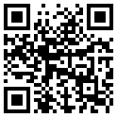
Scan with your phone's camera to open this page there.
About Sortshot
Pick a folder. Tap Shoot. Your photos land in it.
On a Samsung phone every photo goes into one Camera folder. Sortshot fixes that without replacing the camera: choose a folder, tap Shoot, and the phone's own camera opens with every mode it has.
When you close it, what you took is in your folder, with any tags and notes you added. Nothing else on the phone is touched.
No subscriptionEvery feature is in the free app.
No advertsNone in the app and none on this site.
Your own cameraEvery mode your phone has, nothing changed.
One copyShots are moved, not copied.
A look inside
Real screens from Sortshot. Tap one to see it full size.
Your folders, each with a Shoot button of its own.Folders inside folders, such as a week of site visits.A folder of photos, filed as you took them.A photo with its tags and note.Tags and a note on one photo or many, typed or dictated.Search every folder by tag, note, name or date.Settings for file names, videos and the timestamp.Optional backup to your own Google Drive, in the same folders.
X-ray
Read from the app file itself (v1.3, 3.9 MB) when it was published.
Privacy score
The score starts at 100. Points come off for advert kits (10 each), trackers (8 each), high-risk permissions (6 each), medium-risk permissions (3 each), parts of the app other apps can start (2 each, up to 10), and unencrypted traffic (5). A permission only works if you allow it, so a camera app loses points for the camera even though it needs it.
88/ 100
Good
1 high-risk permission-6
2 medium-risk permissions-6
Advertising kits
0
Code from advertising companies that shows adverts and usually collects data to target them. Found by matching the app's code against the Exodus Privacy list of known kits.
No known advertising kits found.
Trackers
0
Analytics, crash-reporting, profiling and location libraries that can send information about you to another company. Matched against 432 known trackers.
No known trackers found.
Permissions
10
What the app is able to ask for. Permissions marked "Asks first" do nothing until you say yes on your phone, and you can take them back at any time in Settings. "Automatic" ones are granted when you install.
1 high risk2 medium risk5 low risk2 harmless
All filesAsks first
Can read, change and delete every file on shared storage.
android.permission.MANAGE_EXTERNAL_STORAGE
App usageAsks first
Can see which apps you use and for how long.
android.permission.PACKAGE_USAGE_STATS
Internet accessAutomatic
Can send and receive data over the internet.
android.permission.INTERNET
Foreground service: special useAutomatic
Can keep running with a notification for a special job.
android.permission.FOREGROUND_SERVICE_SPECIAL_USE
Keep phone awakeAutomatic
Can stop the phone from sleeping.
android.permission.WAKE_LOCK
NotificationsAsks first
Can show notifications.
android.permission.POST_NOTIFICATIONS
Run at start-upAutomatic
Can start itself when the phone is switched on.
android.permission.RECEIVE_BOOT_COMPLETED
Run in foregroundAutomatic
Can keep running with a notification.
android.permission.FOREGROUND_SERVICE
Private messages inside the appAutomatic
Keeps the app's own internal messages private to itself.
Backup allowedThe app's data cannot be copied off with backup tools.
Modern Android targetBuilt for Android 15 (API 35) — gets current privacy protections.
Open background componentsNo background parts can be started by other apps.
Release signatureSigned with a release key.
Signature
Android only installs an update if it carries the same signature as the app already on your phone. These fingerprints let you check a file really came from here.
The building blocks inside the app. "Open" parts can be started by other apps on the phone without asking. Widgets, share targets and alarms need some open parts to work.
There is nothing to buy and no account to make. Sortshot moves what you shoot into the folder you chose.
Pick a folder
Make folders and sub-folders in DCIM › Sortshot, or use one you made before.
Tap Shoot
The phone's own camera opens, with every mode it has, for photos and video.
Close the camera
What you took is filed in your folder, with readable names, tags and notes.
Everything is in, and all of it is free
Nothing below is held back for a paid tier, because there is no paid tier.
Filing
Your camera, your folders
The phone's full camera, for photos and video. Shots are moved, not copied, so the Camera folder stays clear.
Only what you shot through it
Filing stops the moment the camera closes. Photos you take by opening the camera yourself are never touched.
Folders and sub-folders
They live in DCIM › Sortshot, so each one shows as an album in the Gallery, with names you can read on a computer.
One tap from anywhere
A home-screen shortcut for each folder, a quick-settings tile, and a Switch folder button while you shoot.
Finding
Tags and notes
On one photo or many at once. Say a note instead of typing it, or set tags before you shoot.
They travel with the photo
Written into JPEG files in the standard place, so they are still there on a computer or in Drive.
Search
Across every folder, by tag, note, file name, folder or date.
Sharing
Timestamp on the photo
Switch it on and the date and time, and the place if you like, are printed in the corner as each photo is filed.
Stamped copies
A copy with the date, folder, note, tags or location printed on it. The original stays as it was.
PDF report and zip
A folder as a PDF, two photos to a page with their notes, or as a zip with a list of every photo's tags and notes.
Keeping
Google Drive backup
Chosen folders copied to a Sortshot folder in your own Drive, over Wi-Fi. Sortshot sees only the files it put there.
Hide from the Gallery
A switch for each folder, or for all of them.
A 30-day bin
Anything you delete in Sortshot waits 30 days and goes back with one tap.
Your photos are your business
No servers
Sortshot has no accounts and no servers. The developer receives nothing from the app.
Your own Drive
Backup is off until you connect it, and then goes only to your own Google Drive.
No ads, no tracking
There is no advertising, analytics or tracking, in the app or on this site.
Where Sortshot comes out ahead
Other apps also save photos into folders as you take them. This page sets Sortshot beside two of them, using only what their own Google Play listings say.
Feature
SortshotFree, no paid version
Folder CameraFingerTory
UtifulUtiful Software
No adverts
Yes
Contains ads
YesListing says "No ads"
Uses the phone's own camera
Yes
Yes
–
Tags and notes on photos
Yes
–
–
Search by tag or note
Yes
–
–
Date and place printed on photos
Yes
–
–
PDF report of a folder
Yes
–
–
Copy to your own Google Drive
Yes
–
–
Other apps' details are taken from their own Google Play listings. Only the rows where Sortshot does better are shown.
What's new
Every version, newest first. Earlier versions stay available to download.
Version 1.3Latest
Timestamp on photos. The date and time are printed in the bottom-left corner of each photo as it is filed, the same size and place as the Samsung camera's own watermark.
New in Settings: Coordinates on photos. Where the photo was taken is printed on it as latitude and longitude, from the location the camera saved in the photo.
Both are off until you switch them on. They apply to JPEG photos; motion photos, HEIC, RAW, 200 MP photos and videos are filed without a stamp.
Version 1.2
First public release. Pick a folder, tap Shoot, and the phone's own camera opens. What you take is filed into that folder when the camera closes.
Folders and sub-folders in DCIM › Sortshot, with readable file names.
Home-screen shortcuts for folders, a quick-settings tile and a Switch folder button while you shoot.
Tags and notes on one photo or many, dictated notes, and tags for a whole session before you shoot.
Tags and notes written into JPEG photos so they travel with them.
A review screen for each session's shots, and search across every folder.
Stamped copies, a PDF photo report and zip export.
Google Drive backup of chosen folders, over Wi-Fi, to your own Drive.
Yes. There is no paid version, no subscription and no adverts. See the comparison.
Is it a camera?
No. It opens the camera already on your phone, with every mode it has, so nothing about how your photos look changes.
Does it touch photos I take without it?
No. Filing starts when you tap Shoot and stops the moment the camera closes.
Where do my photos go?
Into folders in DCIM › Sortshot, so each folder is also an album in the phone's Gallery.
Why does it ask for all files access and usage access?
All files access lets it move your shots out of the Camera folder. Usage access lets it see the moment the camera closes. Nothing about your app use is kept or sent.
How do I switch on usage access?
Android locks it for apps downloaded outside the Play Store. Try to switch Sortshot on once, then open Settings, Apps, Sortshot, tap the three dots and choose Allow restricted settings. The app shows these steps.
Is Google Drive backup needed?
No. It is off until you connect it, and copies only the folders you choose. A photo deleted on the phone stays in your Drive.
How do I update Sortshot?
The app tells you when a new version is out. Download it from this site and install it over the old one; your folders, tags and notes stay.
Your download has started. Three quick steps the first time.
Open the fileTap the download notification, or open Files and then Downloads, and tap Sortshot.apk.
Allow your browser to install appsAndroid asks once. Tap Settings, switch on Allow from this source, then go back. On a Samsung phone it's under Settings, Apps, Chrome (or Samsung Internet), Install unknown apps.
Tap InstallUpdates install over the top and keep your data, because every version is signed with the same key.
Chrome may warn you. It says "file might be harmful" for any app that doesn't come from Google Play. Choose Download anyway. You can check the file against the SHA-256 on this page.