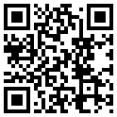
Version 1.0.0-beta1Latest
The current version.
uk.co.qvr.watch
Video recording on a full Android watch
QVR Watch turns a full Android watch with a camera into a small video recorder. Record from the watch itself, or start and stop it from your phone with QVR Watch Control.
Videos are saved on the watch. Nothing goes over the internet, and nothing is uploaded anywhere.
Real screens from QVR Watch. Tap one to see it full size.
Read from the app file itself (v1.0.0-beta1, 0.0 MB) when it was published.
The score starts at 100. Points come off for advert kits (10 each), trackers (8 each), high-risk permissions (6 each), medium-risk permissions (3 each), parts of the app other apps can start (2 each, up to 10), and unencrypted traffic (5). A permission only works if you allow it, so a camera app loses points for the camera even though it needs it.
Good
Code from advertising companies that shows adverts and usually collects data to target them. Found by matching the app's code against the Exodus Privacy list of known kits.
No known advertising kits found.
Analytics, crash-reporting, profiling and location libraries that can send information about you to another company. Matched against 432 known trackers.
No known trackers found.
What the app is able to ask for. Permissions marked "Asks first" do nothing until you say yes on your phone, and you can take them back at any time in Settings. "Automatic" ones are granted when you install.
Can take pictures and record videos while the app is in use.
android.permission.CAMERACan record sound with the microphone while the app is in use.
android.permission.RECORD_AUDIOCan keep using the camera with a notification.
android.permission.FOREGROUND_SERVICE_CAMERACan keep using the microphone with a notification.
android.permission.FOREGROUND_SERVICE_MICROPHONECan connect to paired Bluetooth devices.
android.permission.BLUETOOTHCan turn Bluetooth on and look for devices.
android.permission.BLUETOOTH_ADMINCan connect to paired Bluetooth devices.
android.permission.BLUETOOTH_CONNECTCan stay connected to a device with a notification.
android.permission.FOREGROUND_SERVICE_CONNECTED_DEVICECan stop the phone from sleeping.
android.permission.WAKE_LOCKCan show notifications.
android.permission.POST_NOTIFICATIONSCan keep running with a notification.
android.permission.FOREGROUND_SERVICESettings inside the app file that affect how safe it is. A blue mark is worth knowing about rather than a problem.
Android only installs an update if it carries the same signature as the app already on your phone. These fingerprints let you check a file really came from here.
The building blocks inside the app. "Open" parts can be started by other apps on the phone without asking. Widgets, share targets and alarms need some open parts to work.
None.
None.
Compiled code for each type of phone processor. Most phones today use arm64-v8a.
None. The app is pure Android code and runs on any processor.
SHA-256 4271947c890bcca313ccf6d06ae4736c31e9cd7bef2c1838d77d60772f452ea2SHA-256 0f885a0ecf9efd6ed0e9c6fb7d9fa5d533137b0c2a91b90973eb296a685bb068Install one app on each device, pair them once, and the phone becomes the remote.
Put QVR Watch on the watch and QVR Watch Control on the phone, then pair them in Android's Bluetooth settings.
On the watch, tap Phone control and choose your phone. Only that phone is accepted.
Connect in QVR Watch Control and press Start recording. The watch keeps recording if Bluetooth drops.
Nothing below is held back for a paid tier, because there is no paid tier.
Neither app asks for internet access.
The watch accepts commands only from the phone you chose.
Nothing in the apps or on this site.
Most watch camera apps turn the watch into a remote for the phone's camera. QVR Watch does the opposite: the watch records, and the phone is the remote.
| Feature | QVR WatchFree, no paid version | Camera OneFree trial, then a paid Premium version | Quick Video Recorder by Kimcy929Free, with Google Play billing |
|---|---|---|---|
| Records with the watch's own camera | Yes | NoControls the phone's camera | NoPhone camera app |
| Free, with nothing to buy | Yes | NoPremium after a trial | NoGoogle Play billing permission |
| Live picture on the other device | No | YesView and record video | – |
| Works on Wear OS watches | NoFull Android watches only | YesGalaxy Watch and Wear OS | – |
| No internet permission | Yes | – | NoAsks for internet access |
| Accepts commands only from your phone | Yes | – | – |
| Stops and saves when the battery is low | Yes | – | – |
| Updated in 2026 | Yes | NoUpdated 10 August 2025 | NoLast version September 2021 |
Other apps' details are taken from their own Google Play listings. Only the rows where QVR Watch does better are shown.
The current version.
Full Android watches, Android 10 or later, that have a camera and Bluetooth Classic. It does not work on Wear OS-only, Apple, Huawei or fitness watches.
No. Neither app shows a picture while recording. That keeps the link small and the battery going longer.
On the watch, in Movies/QVR Watch. Copy them off with your watch's own file transfer or a USB cable. The phone app does not copy videos.
The watch keeps recording. The phone reconnects by itself and shows the real state again.
Yes. Both apps are free, with no adverts and nothing to unlock.
QVR apps record video and sound, and can keep recording with the screen off. Who and where you record, and what you do with the recordings, is your responsibility.
Laws differ in other countries. If you are not in the UK, the rules where you are apply. Read the terms of use.
Email [email protected] with what happened and your phone model.