Free, with no adverts. Android 8 or later.How to install
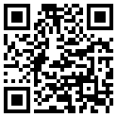
Scan with your phone's camera to open this page there.
About Airwave
Every station, every podcast, no adverts
Airwave puts live radio and podcasts in one app. Over 1,900 UK stations are built in, sorted by region and town, with around 50,000 more from the rest of the world a search away.
Pause and rewind live radio, wake up to a station, listen in the car with Android Auto, and follow podcasts with downloads and a queue.
No subscriptionEvery feature is in the free app.
No advertsNone in the app and none on this site.
No accountNothing to sign up for.
Easy on dataA data saver picks lighter streams on mobile data.
A look inside
Real screens from Airwave. Tap one to see it full size.
Home: your favourite stations as tiles, and what you played last.Radio: UK stations, with categories, filters and sorting.Local: pick a region and town, or stations near you.Your podcasts, with Browse, the queue and downloads.A podcast's episodes, newest or oldest first.Now playing, with rewind, sleep timer and Find song.Settings for stations, podcasts and playing.The radio alarm, with a phone-alarm backup.
X-ray
Read from the app file itself (v1.3, 10.5 MB) when it was published.
Privacy score
The score starts at 100. Points come off for advert kits (10 each), trackers (8 each), high-risk permissions (6 each), medium-risk permissions (3 each), parts of the app other apps can start (2 each, up to 10), and unencrypted traffic (5). A permission only works if you allow it, so a camera app loses points for the camera even though it needs it.
79/ 100
Good
2 medium-risk permissions-6
5 unprotected background components-10
Unencrypted traffic-5
Advertising kits
0
Code from advertising companies that shows adverts and usually collects data to target them. Found by matching the app's code against the Exodus Privacy list of known kits.
No known advertising kits found.
Trackers
0
Analytics, crash-reporting, profiling and location libraries that can send information about you to another company. Matched against 432 known trackers.
No known trackers found.
Permissions
14
What the app is able to ask for. Permissions marked "Asks first" do nothing until you say yes on your phone, and you can take them back at any time in Settings. "Automatic" ones are granted when you install.
Settings inside the app file that affect how safe it is. A blue mark is worth knowing about rather than a problem.
Debug modeDebugging is switched off.
Test-only buildNormal release build.
Unencrypted trafficAllowed to send data without encryption (http://). Others on the same Wi-Fi could read it.
Backup allowedThe app's data can be copied off the phone with backup tools.
Modern Android targetBuilt for Android 15 (API 35) — gets current privacy protections.
Open background components5 parts can be started by any app without permission.
Release signatureSigned with a release key.
Signature
Android only installs an update if it carries the same signature as the app already on your phone. These fingerprints let you check a file really came from here.
The building blocks inside the app. "Open" parts can be started by other apps on the phone without asking. Widgets, share targets and alarms need some open parts to work.
There is nothing to buy and no account to make. Stations come from the public Radio Browser directory, and podcasts from their own feeds.
Find a station
Browse the UK by category, region or town, search the worldwide directory, or tap Stations near me.
Make it yours
Star your favourites, sort them into folders, add stations by link and follow podcasts.
Listen anywhere
On the lock screen, in the car with Android Auto, on Bluetooth, with a sleep timer, or as your morning alarm.
Everything is in, and all of it is free
Nothing below is held back for a paid tier, because there is no paid tier.
Radio
UK stations sorted by place
Over 1,900 UK stations built in, with more than 1,000 placed in a region and town.
The world too
Around 50,000 more stations worldwide, by country, language and quality.
Filters that combine
Category, place, language and sound quality together, saved for next time.
Pause and rewind
Live radio keeps the last few minutes on your phone, so you can pause and go back.
Podcasts
Podcasts done properly
Follow, download, queue, speed control, and a sleep timer that stops at the end of the episode.
Browse built in
Tens of thousands of English-language podcasts by category, with charts for several countries.
Your own feeds
Search, paste a feed link, or bring your list from another app as an OPML file.
More like this
Similar shows on every podcast's page, and search inside its episodes.
Around you
Android Auto
Browse and play from the car. A page in the app shows how to switch it on.
Radio alarm
Wake up to a station, with the phone's own alarm as a backup.
Lock screen and widget
Controls where you need them, with the lock screen player off until you want it.
Sound your way
Equaliser, bass and volume levelling.
Looking after you
Easy on mobile data
A data saver and a count of what Airwave has used.
A backup you control
Save a file with your favourites, stations, podcasts and settings.
Hide what you do not want
Hide stations and whole categories, and dead stations drop out by themselves.
Help built in
How to add stations and podcasts, and where to find a stream link.
Your listening is your business
No servers
Airwave has no accounts and no servers of its own. The developer never sees what you listen to.
No ads, no tracking
There is no advertising, analytics or tracking, in the app or on this site.
Location only when you ask
Stations near me uses your rough location on the phone, only when you tap it.
Where Airwave comes out ahead
Airwave has no paid version and no adverts of its own. The well-known radio apps on Google Play show adverts and sell upgrades.
Feature
AirwaveFree, no paid version
Radio UKBy APPMIND. Has in-app purchases
TuneIn RadioFree, or TuneIn Premium
No adverts in the app
Yes
Has adverts"Contains ads"
Has adverts"Contains ads"
Nothing to buy inside the app
Yes
In-app purchases
Premium upgrade
Radio alarm
Yes
Listed
–
Sleep timer
Yes
Listed
–
Pause and rewind live radio
Yes
–
–
Android Auto
Yes
–
–Listing names CarPlay only
Other apps' details are taken from their own Google Play listings. Only the rows where Airwave does better are shown.
What's new
Every version, newest first. Earlier versions stay available to download.
Version 1.3Latest
Lock screen choice, podcast browsing and Android Auto help. A lock screen switch (Settings › Playing › Show on the lock screen), off by default.
An Android Auto page with four steps and a button that opens Android Auto's settings.
On the car screen, Podcasts starts with your newest unplayed episodes and your downloads.
Episode filters on every podcast's page: newest or oldest first, and hide played. Each podcast remembers its choice.
No notification question when the app first opens. Airwave asks only when you switch on something that needs notifications.
Podcasts › Browse: 43,589 English-language podcasts built in, by category and sub-category, with World, UK, US, Australia, Canada, Ireland and New Zealand charts.
“More like this” and episode search on every podcast's page, and a sleep timer that stops at the end of the episode.
More UK stations placed in a region: 1,005 of 1,936, up from 879.
Station pictures fixed.
Version 1.0
About 1,900 UK stations built in, with the most-played stations from the rest of the world, refreshed from the open Radio Browser directory once a day.
UK stations sorted into regions, then towns and counties, with Stations near me.
A worldwide list by country, and a search that covers the whole live directory of around 50,000 stations.
Filters by category, UK region and town, language and sound quality, which can be combined and saved as one-tap chips.
Your own stations: a stream link or a .m3u or .pls playlist link, several at once from a pasted list or a file, or a link shared to Airwave from another app. Each link is checked before it is saved.
Your own podcasts: search by name, paste a feed link, or import an OPML list from another podcast app.
Pause and rewind for live radio, keeping the last 10, 30 or 60 minutes, with a step back of 30 seconds and a jump back to live.
Podcasts with a UK chart by category, episode downloads, a queue, five playback speeds, skip back and forward, a remembered place in each episode, and a notice when a new episode is out.
Favourites in folders, drag to reorder, and a recently played row.
The song that is playing, where the station sends it, with a history list.
A sleep timer with fade-out, and a radio alarm with days, volume, a gentle start, snooze, and the phone's own alarm sound as a fallback.
Lock-screen and notification controls, Bluetooth and headset buttons, Android Auto, casting, and a home-screen widget.
An equaliser with ready-made settings, bass boost and volume levelling.
Data saver, a data-use counter, and reconnecting by itself when the signal drops.
Stations that fail to play twice are taken out of the lists. Stations and whole categories can be hidden, and all of it can be undone.
A backup file for favourites, folders, stations, podcasts, filters, alarm and settings, with an automatic copy in the phone's Documents folder.
Light, dark and true-black themes, a grid or a list, three tile sizes, and a player that takes its colour from the station's logo.
A Help page inside the app, and a notice when a newer version is ready.
Stations that stream as HLS, which includes some BBC streams, play but cannot be paused and rewound.
Android Auto shows Airwave only after Unknown sources is ticked in Android Auto's developer settings.
Yes. There is no paid version, no subscription and no adverts in the app, and nothing in it is locked away. Stations may still play their own adverts, as they do on any radio.
Is Airwave on Google Play?
No. Airwave is a personal project and is downloaded from this site as an Android app file. It needs Android 8 or later.
Why will a station not play?
A few stations only allow listening in their own app or their own country, and some change their stream address without telling anyone. Check your internet first, then try again in a minute. If a station fails twice, Airwave takes it out of your lists, and you can bring it back under Settings, Hidden stations and categories. If you know the station's new stream link, add it under Settings, My stations.
My station is not in the list. Can I add it?
Yes. First try Search, which looks through the whole worldwide directory and not only the built-in list. If it is not there, go to Settings, My stations, Add a station, paste the station's stream link, tap Check and play, then Save. You can also share a link to Airwave from your browser. The Help page in the app explains where to find a stream link.
How do I add a podcast?
On the Podcasts tab tap +. Type the podcast's name to search, paste its feed link, or import a list of subscriptions exported from another podcast app as an OPML file.
Why can I not pause and rewind some stations?
Pause and rewind works by keeping the last few minutes of the station on your phone. Some stations, including some BBC streams, send their sound in a format called HLS that cannot be kept this way. They still play, and the player tells you when rewind is not possible.
How much mobile data does radio use?
Roughly 30 MB an hour at 64k, 60 MB an hour at 128k and 140 MB an hour at 320k. Data saver in Settings picks a lower-quality version of a station on mobile data where one exists, and Settings shows how much data Airwave has used.
Does Airwave know where I am?
Only if you tap Stations near me, and Android asks your permission first. Your rough location is used on the phone to sort stations by distance. It is not stored and is not sent anywhere. You can pick a region by hand instead.
How do I get Airwave on Android Auto?
Android Auto hides apps that were not installed from Google Play until you allow them. On the phone open Android Auto's settings, scroll to the bottom, tap Version ten times to switch on developer settings, then open the menu, choose Developer settings and tick Unknown sources.
Will the alarm still wake me with no internet?
Yes. If the station cannot be reached when the alarm is due, the phone's own alarm sound plays instead after about 30 seconds. For the alarm to be reliable, do not force stop Airwave, and set its battery use to Unrestricted in the phone's settings.
How do I move to a new phone?
In Settings choose Save a backup file. It holds your favourites, folders, own stations, podcasts, saved filters, alarm and settings. Copy the file to the new phone, install Airwave and choose Restore from a file. Downloaded episodes are not in the backup.
How do I update Airwave?
Airwave looks at its download page about twice a day and shows a notice on the Home tab and in Settings when a newer version is there. Download it and install it over the one you have. Your favourites, stations and podcasts are kept.
Your download has started. Three quick steps the first time.
Open the fileTap the download notification, or open Files and then Downloads, and tap Airwave.apk.
Allow your browser to install appsAndroid asks once. Tap Settings, switch on Allow from this source, then go back. On a Samsung phone it's under Settings, Apps, Chrome (or Samsung Internet), Install unknown apps.
Tap InstallUpdates install over the top and keep your data, because every version is signed with the same key.
Chrome may warn you. It says "file might be harmful" for any app that doesn't come from Google Play. Choose Download anyway. You can check the file against the SHA-256 on this page.